
View accounts
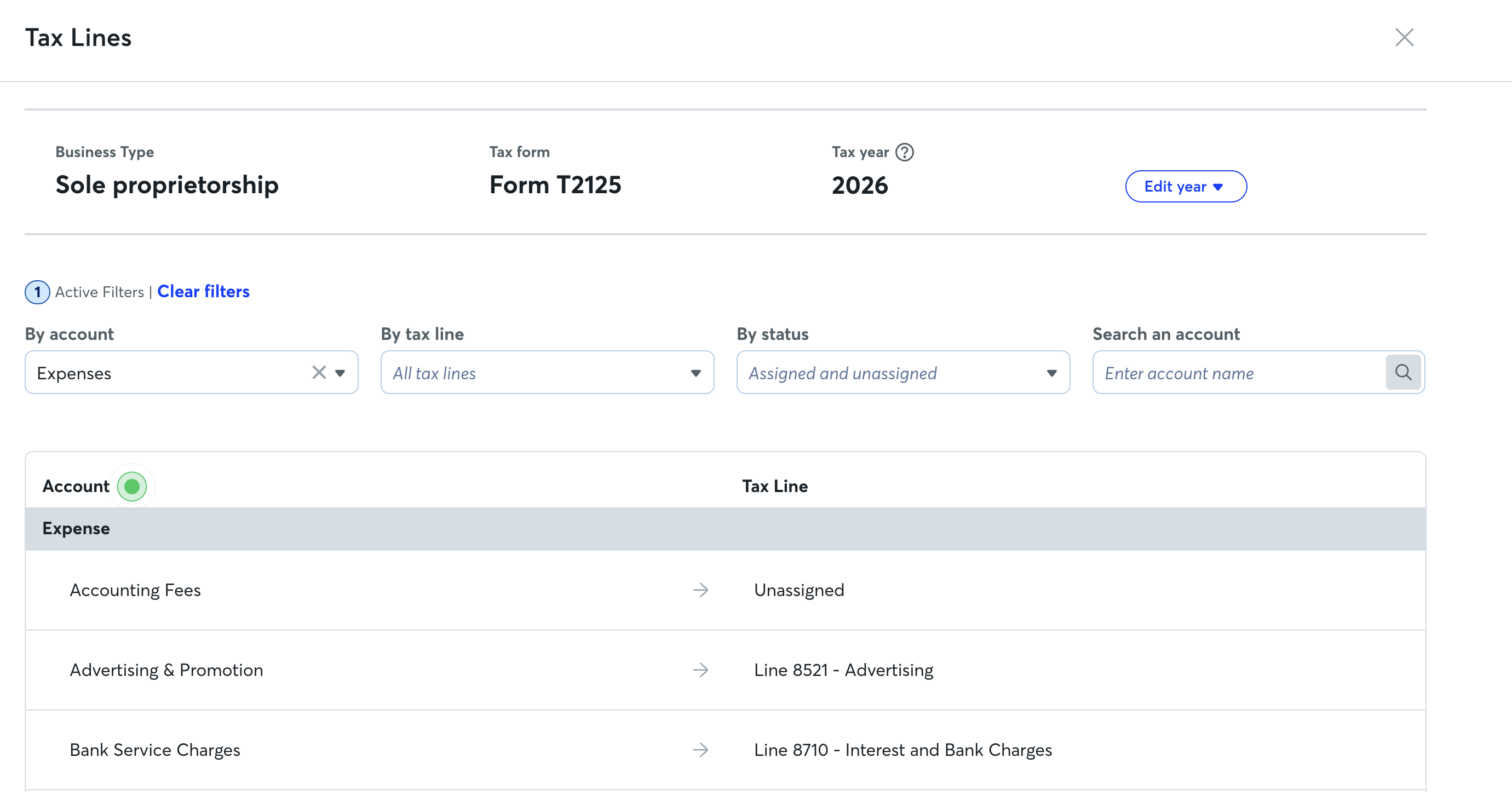
To view accounts and their assigned tax lines:
- Log in on your web browser at waveapps.com.
- On the left-side menu, open Accounting > Chart of Accounts.
- Click Assign tax lines.
- If you need to change the year, click Edit year and select the year from the dropdown menu.
Use the filters at the top of the tax line mapping page to find your accounts and their assigned tax lines. You can filter by account type, tax line, assigned status, and search by account name.
- To filter, click the dropdown menu under the desired filter and select an option.
- To search, enter the account name in the search bar and click the search icon.
- To clear a filter or search, click the X next to it, or click Clear filters.
Edit or assign tax lines
To change the tax line of an account, or assign one to a new account or an account left unassigned during setup:
- Log in on your web browser at waveapps.com.
- On the left-side menu, open Accounting > Chart of Accounts.
- Click Assign tax lines.
- To change the tax year, click Edit year and select the year from the dropdown menu.
- Next to the account, click the dropdown menu under Tax Line and select the appropriate account. You can also mark the account as Unassigned or Excluded from tax line report. You can search within the dropdown menu for a tax line. Wave automatically saves the update.
Choose Excluded from tax line report if the account isn't included in your tax return. Select Unassigned if you're currently unsure what the right tax line is.