
Foreign currency account balances on reports
In your reports, the balance of your foreign currency account may not match the value you expect when using the current exchange rate. This is because Wave calculates your business currency balance as the sum of each transaction. This means the balance changes as historical rates fluctuate.
In your account transactions (general ledger) report, a foreign currency account looks like this:
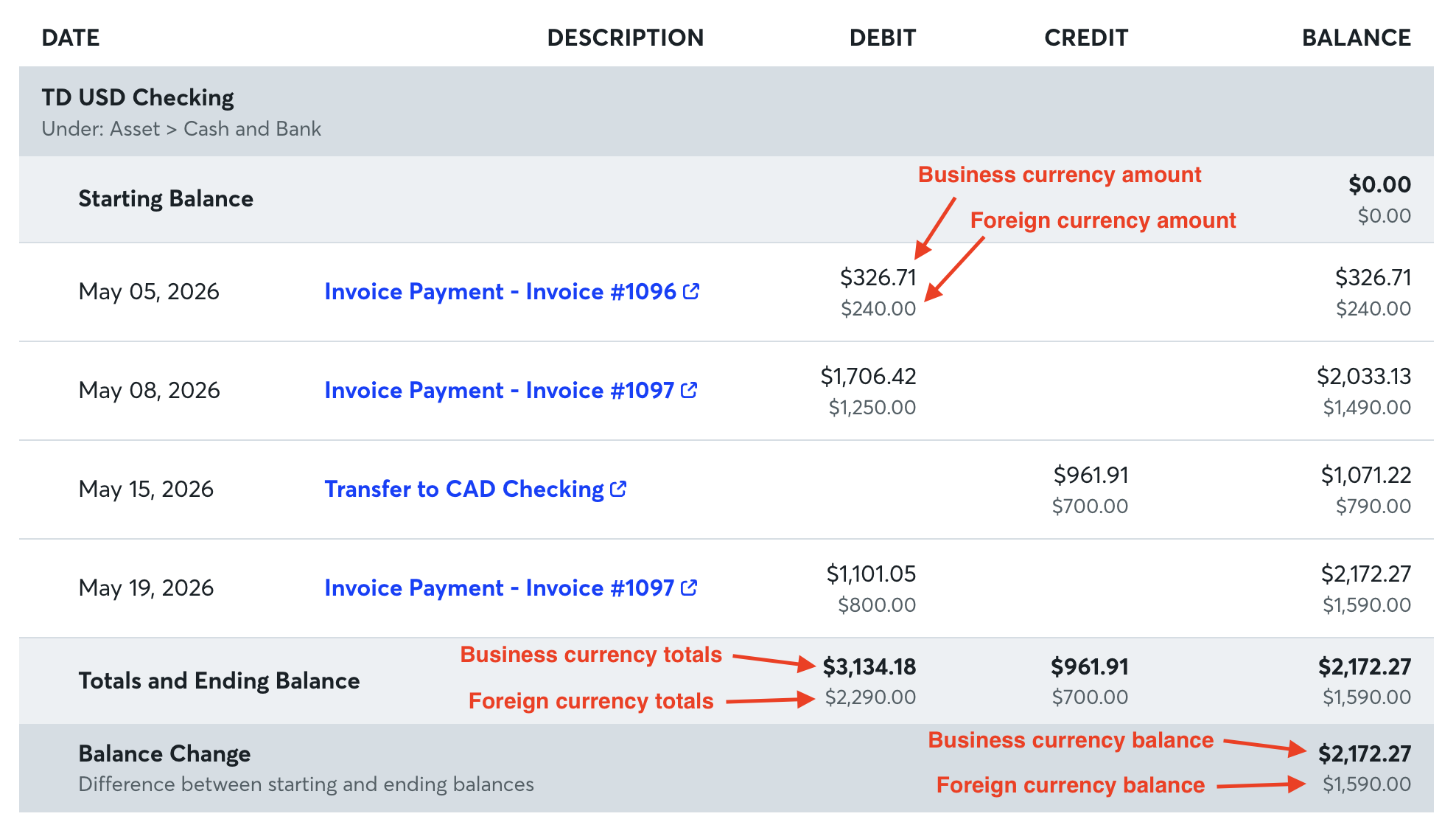
The balances of both currencies are the running totals of the starting balance plus or minus the individual transaction amounts. Since the exchange rate for each transaction depends on its source, there may be a difference between the account balance in your reports and the current translated value.
When you reconcile a foreign currency account, the balance and transactions are in the foreign currency. When you enter the ending balance, it must also be in the foreign currency.
Adjust a foreign currency account
If the translated foreign currency balance doesn't match the business currency balance, the foreign currency account needs a revaluation. This adjusts the foreign currency account balance so it matches the business currency account as of the revaluation date.
Since exchange rates change every day, Wave recommends reevaluating your account at year-end, quarterly, or more frequently when it makes sense for your business.
Wave records the foreign exchange difference as realized gain or loss on foreign exchange on your Profit & Loss report, which resolves the difference on your balance sheet.
To request a revaluation, open Mave, Wave’s automated chatbot, and request a Support Agent. Provide the name of the account and the date you need the account to be revaluated as of.
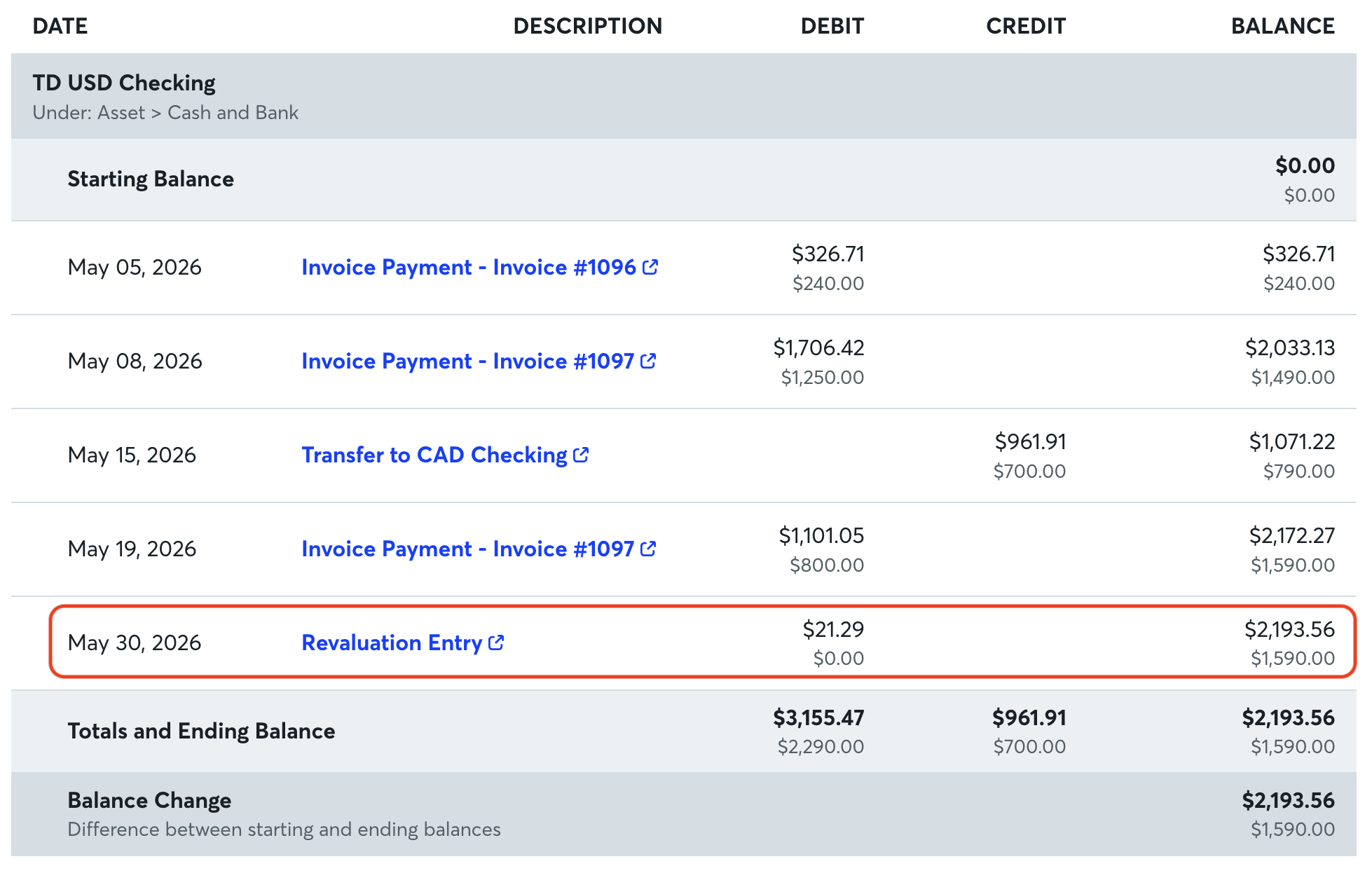
Once the foreign exchange revaluation entry has been entered, you will see it in your account transactions report:
For advice on your specific foreign currency transactions, consult your accountant or tax preparer.